
# Desenvolvedores

## Como usar

<!----------------------------------------------- Pré-requisitos ----------------------------------------------->

### Pré-requisitos

> - Crie uma Conta em <a href="https://hub.notificame.com.br/" style="text-decoration:none" target="_blank"><b>NotificaMe Hub</b></a>.
>
>
> - Adicione o canal de sua preferência.
>
>
> - <b>Endereço da API</b>: https://api.notificame.com.br/v1/

<!----------------------------------------------- Exemplos Revenda ----------------------------------------------->

### <img src="assets/icon.png" width="18" height="18" style="margin-right: 4px"> Revendas

> **Tópicos**
> 1. [**Listar subcontas**](#listar-subcontas)

#### Listar subcontas

Retorna uma lista das subcontas criadas a partir do seu token.

<table style="width: 100%;">
  <tr>
    <th style="width: 10%; text-align: center;">Tipo da Requisição</th>
    <th style="width: 15%;">URL</th>
  </tr>
  <tr>
    <td style="text-align: center"><img src="assets/get.png" width="60" height="30"></td>
    <td>https://api.notificame.com.br/v1/resale/</td>
  </tr>
</table>

##### Header:

```js
"X-Api-Token": {{token_da_conta}}
```

##### Resposta:

```js
{
    [
        {
            "acccount_id": {{token_da_conta}},
            "email": {{email_da_conta}},
            "name": {{nome_da_conta}},
            "active": {{status_da_conta}}, // true or false
            "channels": {{quantidade_de_canais}},
            "createdAt": {{data_de_criação}}
        },
        {
            "acccount_id": {{token_da_conta}},
            "email": {{email_da_conta}},
            "name": {{nome_da_conta}},
            "active": {{status_da_conta}}, // true or false
            "channels": {{quantidade_de_canais}},
            "createdAt": {{data_de_criação}}
        },
        ...
    ]
}
```

<!----------------------------------------------- Exemplo Webhook ----------------------------------------------->

### <img src="assets/icon.png" width="18" height="18" style="margin-right: 4px"> Webhook

> **Tópicos**
> 1. [**Como configurar o webhook para o seu canal**](#como-configurar-o-webhook)

#### Como configurar o webhook

Define o webhook em que o NotificaMe Hub irá enviar os eventos do canal.

<table style="width: 100%;">
  <tr>
    <th style="width: 10%; text-align: center;">Tipo da Requisição</th>
    <th style="width: 15%;">URL</th>
  </tr>
  <tr>
    <td style="text-align: center"><img src="assets/post.png" width="60" height="30"></td>
    <td>https://api.notificame.com.br/v1/subscriptions/</td>
  </tr>
</table>

##### Header:

```js
"X-Api-Token": {{token_da_conta}}
```

##### Body:

```js
{
    "criteria": {
        "channel": {{token_do_canal}}
    },
    "webhook": {
        "url": {{url_do_webhook}},
        "url2": {{url_do_webhook_2}} // Opcional, caso queira receber o evento em 2 webhooks diferentes
    }
}
```

##### Resposta:

```js
200
```

<!----------------------------------------------- Exemplos Template ----------------------------------------------->

### <img src="assets/whatsapp.svg" width="18" height="18" style="margin-right: 4px"> Templates

> **Tópicos**
> 1. [**Criar um template com parâmetros**](#criar-um-template-com-parâmetros)
> 2. [**Listar templates**](#listar-templates)
> 3. [**Enviar template - Sem parâmetros**](#enviar-template-sem-parâmetros)
> 4. [**Enviar template - Com parâmetros (tipo número/positional)**](#enviar-template-com-parâmetros-número)
> 5. [**Enviar template - Com parâmetros (tipo nome/named)**](#enviar-template-com-parâmetros-nome)

#### Criar um template com parâmetros

Cria um template com base nas predefinições enviadas do JSON como parâmetro no Body.

<table style="width: 100%;">
  <tr>
    <th style="width: 10%; text-align: center;">Tipo da Requisição</th>
    <th style="width: 15%;">URL</th>
  </tr>
  <tr>
    <td style="text-align: center"><img src="assets/post.png" width="60" height="30"></td>
    <td>https://api.notificame.com.br/v1/templates/{{token_do_canal}}</td>
  </tr>
</table>

##### Header:

```js
"X-Api-Token": {{token_da_conta}}
```

##### Body:

```js
{
    "from": {{token_do_canal}},
    "contents": [
        {
            "template": {
                "name": "template_api", // Nome do template
                "language": "pt_BR",
                "category": "MARKETING", // Categoria
                "components": [
                    {
                        "type": "HEADER", // Componente
                        "format": "TEXT", // Tipo do componente
                        "text": "Bem vindo, {{1}}!", // Texto e parâmetros
                        "example": {
                            "header_text": [
                                "John" // Exemplo do parâmetro
                            ]
                        }
                    },
                    {
                        "type": "BODY",
                        "text": "Criando um {{1}} pela API.",
                        "example": {
                            "body_text": [
                                "template"
                            ]
                        }
                    },
                    {
                        "type": "FOOTER",
                        "text": "Use os botões para teste."
                    },
                    {
                        "type": "BUTTONS",
                        "buttons": [
                            {
                                "type": "QUICK_REPLY", // Tipo do botão
                                "text": "Botão 1"
                            },
                            {
                                "type": "QUICK_REPLY",
                                "text": "Botão 2"
                            }
                        ]
                    }
                ]
            }
        }
    ]
}
```

##### Resposta:

```js
{
    "id": {{id_do_template}},
    "status": "PENDING",
    "category": "MARKETING"
}
```

#### Listar templates

Realiza uma consulta e retorna uma lista de todos os seus templates.

<table style="width: 100%;">
  <tr>
    <th style="width: 10%; text-align: center;">Tipo da Requisição</th>
    <th style="width: 15%;">URL</th>
  </tr>
  <tr>
    <td style="text-align: center"><img src="assets/get.png" width="60" height="30"></td>
    <td>https://api.notificame.com.br/v1/templates/{{token_do_canal}}</td>
  </tr>
</table>

##### Header:

```js
"X-Api-Token": {{token_da_conta}}
```

##### Resposta:

```js
{
    "data": [
        {
            "name": "template_api",
            "parameter_format": "POSITIONAL",
            "components": [
                {
                    "type": "HEADER",
                    "format": "TEXT",
                    "text": "Bem vindo, {{1}}!",
                    "example": {
                        "header_text": [
                            "John"
                        ]
                    }
                },
                {
                    "type": "BODY",
                    "text": "Criando um {{1}} pela API.",
                    "example": {
                        "body_text": [
                            [
                                "template"
                            ]
                        ]
                    }
                },
                {
                    "type": "FOOTER",
                    "text": "Use os botões para teste."
                },
                {
                    "type": "BUTTONS",
                    "buttons": [
                        {
                            "type": "QUICK_REPLY",
                            "text": "Botão 1"
                        },
                        {
                            "type": "QUICK_REPLY",
                            "text": "Botão 2"
                        }
                    ]
                }
            ],
            "language": "pt_BR",
            "status": "APPROVED",
            "category": "MARKETING",
            "id": {{id_do_template}}
        },
    ]
}
```

#### Enviar template sem parâmetros

Envia um template para o WhatsApp, utilizado para abrir uma janela de mensagem (iniciar uma conversa).

<table style="width: 100%;">
  <tr>
    <th style="width: 10%; text-align: center;">Tipo da Requisição</th>
    <th style="width: 15%;">URL</th>
  </tr>
  <tr>
    <td style="text-align: center"><img src="assets/post.png" width="60" height="30"></td>
    <td>https://api.notificame.com.br/v1/channels/whatsapp/messages</td>
  </tr>
</table>

##### Header:

```js
"X-Api-Token": {{token_da_conta}}
```

##### Body:

```js
{
    "from": {{token_do_canal}},
    "to": {{número_do_destinatário}},
    "contents": [
        {
            "type": "template",
            "template": {
                "name": {{nome_do_template}},
                "components": [
                    {
                        "type": {{nome_do_componente}}, // HEADER, BODY, FOOTER, BUTTON...
                        "parameters": [] // Lista vazia
                    }
                ],
                "language": {
                    "code": {{idioma}} // pt_BR, en_US...
                }
            }
        }
    ]
}
```

##### Resposta:

```js
{
    "from": {{id_do_canal}},
    "to": {{número_do_destinatário}},
    "contents": "{\"type\":\"template\",\"template\":{\"name\":\"{{nome_do_template}}\",\"components\":[{\"type\":\"{{nome_do_componente}}\",\"parameters\":[]}],\"language\":{\"code\":\"{{idioma}}\"}}}",
    "id": {{id_da_mensagem}},
    "direction": "OUT"
}
```

#### Enviar template com parâmetros (número)

Envia um template para o WhatsApp, utilizado para abrir uma janela de mensagem (iniciar uma conversa).

<table style="width: 100%;">
  <tr>
    <th style="width: 10%; text-align: center;">Tipo da Requisição</th>
    <th style="width: 15%;">URL</th>
  </tr>
  <tr>
    <td style="text-align: center"><img src="assets/post.png" width="60" height="30"></td>
    <td>https://api.notificame.com.br/v1/channels/whatsapp/messages</td>
  </tr>
</table>

##### Header:

```js
"X-Api-Token": {{token_da_conta}}
```

##### Body:

```js
{
    "from": {{token_do_canal}},
    "to": {{número_do_destinatário}},
    "contents": [
        {
            "type": "template",
            "template": {
                "name": {{nome_do_template}},
                "components": [
                    {
                        "type": {{nome_do_componente}}, // HEADER, BODY, FOOTER, BUTTON...
                        "parameters": [
                            {
                                "type": "text",
                                "text": {{texto_do_parâmetro}}
                            }
                        ]
                    }
                ],
                "language": {
                    "code": {{idioma}} // pt_BR, en_US...
                }
            }
        }
    ]
}
```

##### Resposta:

```js
{
    "from": {{id_do_canal}},
    "to": {{número_do_destinatário}},
    "contents": "{\"type\":\"template\",\"template\":{\"name\":\"{{nome_do_template}}\",\"components\":[{\"type\":\"{{nome_do_componente}}\",\"parameters\":[{\"type\":\"text\",\"text\":\"{{texto_do_parâmetro}}\"}]}],\"language\":{\"code\":\"{{idioma}}\"}}}",
    "id": {{id_da_mensagem}},
    "direction": "OUT"
}
```

#### Enviar template com parâmetros (nome)

Envia um template para o WhatsApp, utilizado para abrir uma janela de mensagem (iniciar uma conversa).

<table style="width: 100%;">
  <tr>
    <th style="width: 10%; text-align: center;">Tipo da Requisição</th>
    <th style="width: 15%;">URL</th>
  </tr>
  <tr>
    <td style="text-align: center"><img src="assets/post.png" width="60" height="30"></td>
    <td>https://api.notificame.com.br/v1/channels/whatsapp/messages</td>
  </tr>
</table>

##### Header:

```js
"X-Api-Token": {{token_da_conta}}
```

##### Body:

```js
{
    "from": {{token_do_canal}},
    "to": {{número_do_destinatário}},
    "contents": [
        {
            "type": "template",
            "template": {
                "name": {{nome_do_template}},
                "components": [
                    {
                        "type": {{nome_do_componente}}, // HEADER, BODY, FOOTER, BUTTON...
                        "parameters": [
                            {
                                "type": "text",
                                "parameter_name": {{nome_do_parâmetro}},
                                "text": {{texto_do_parâmetro}}
                            }
                        ]
                    }
                ],
                "language": {
                    "code": {{idioma}} // pt_BR, en_US...
                }
            }
        }
    ]
}
```

##### Resposta:

```js
{
    "from": {{id_do_canal}},
    "to": {{número_do_destinatário}},
    "contents": "{\"type\":\"template\",\"template\":{\"name\":\"{{nome_do_template}}\",\"components\":[{\"type\":\"{{nome_do_componente}}\",\"parameters\":[{\"type\":\"text\",\"parameter_name\":\"{{nome_do_parâmetro}}\",\"text\":\"{{texto_do_parâmetro}}\"}]}],\"language\":{\"code\":\"{{idioma}}\"}}}",
    "id": {{id_da_mensagem}},
    "direction": "OUT"
}
```

<!----------------------------------------------- Exemplos WhatsApp ----------------------------------------------->

### <img src="assets/whatsapp.svg" width="18" height="18" style="margin-right: 4px"> WhatsApp

> **Tópicos**
> 1. [**Enviar uma mensagem de texto**](#enviar-uma-mensagem-de-texto)
> 2. [**Enviar uma mensagem de áudio**](#enviar-uma-mensagem-de-áudio)
> 3. [**Enviar um sticker**](#enviar-um-sticker)
> 4. [**Enviar um arquivo (documentos, imagens, vídeos...)**](#enviar-um-arquivo)
> 5. [**Enviar localização**](#enviar-localização)
> 6. [**Enviar mensagem interativa com botões**](#enviar-mensagem-interativa-com-botões)
> 7. [**Enviar mensagem interativa com listas**](#enviar-mensagem-interativa-com-listas)
> 8. [**Enviar mensagem interativa com link / CTA**](#enviar-mensagem-interativa-com-link-call-to-action)
> 9. [**Reagir a uma mensagem**](#reagir-a-uma-mensagem)
> 10. [**Responder uma mensagem (marcar mensagem)**](#responder-uma-mensagem-com-marcação)
> 11. [**Fazer o download de um arquivo criptografado**](#fazer-download-de-um-arquivo-criptografado)

#### Enviar uma mensagem de texto

Envia uma mensagem de texto para o WhatsApp, que precisa estar dentro do período de mensagens (até 24 horas após a última resposta do destinatário).

<table style="width: 100%;">
  <tr>
    <th style="width: 10%; text-align: center;">Tipo da Requisição</th>
    <th style="width: 15%;">URL</th>
  </tr>
  <tr>
    <td style="text-align: center"><img src="assets/post.png" width="60" height="30"></td>
    <td>https://api.notificame.com.br/v1/channels/whatsapp/messages</td>
  </tr>
</table>

##### Header:

```js
"X-Api-Token": {{token_da_conta}}
```

##### Body:

```js
{
    "from": {{id_do_canal}},
    "to": {{número_do_destinatário}},
    "contents": [
        {
            "type": "text",
            "text": "Bom dia!"
        }
    ]
}
```

##### Resposta:

<img src="assets/mensagem.png" style="margin-top: 24px">

```js
{
    "from": {{id_do_canal}},
    "to": {{número_do_destinatário}},
    "contents": "{\"type\":\"text\",\"text\":\"Bom dia!\"}",
    "id": {{id_da_mensagem}},
    "direction": "OUT"
}
```

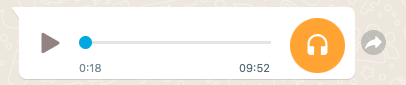
#### Enviar uma mensagem de áudio

Envia uma mensagem de áudio para o WhatsApp, que precisa estar dentro do período de mensagens (até 24 horas após a última resposta do destinatário).

<table style="width: 100%;">
  <tr>
    <th style="width: 10%; text-align: center;">Tipo da Requisição</th>
    <th style="width: 15%;">URL</th>
  </tr>
  <tr>
    <td style="text-align: center"><img src="assets/post.png" width="60" height="30"></td>
    <td>https://api.notificame.com.br/v1/channels/whatsapp/messages</td>
  </tr>
</table>

##### Header:

```js
"X-Api-Token": {{token_da_conta}}
```

##### Body:

```js
{
    "from": {{id_do_canal}},
    "to": {{número_do_destinatário}},
    "contents": [
        {
            "type": "file",
            "fileMimeType": "audio",
            "fileUrl": {{link_do_arquivo}},
            "fileCaption": "Áudio"
        }
    ]
}
```

##### Resposta:

<img src="assets/audio.png" style="margin-top: 24px">

```js
{
    "from": {{id_do_canal}},
    "to": {{número_do_destinatário}},
    "contents":"{\"type\":\"file\",\"fileMimeType\":\"audio\",\"fileUrl\":\"{{link_do_arquivo}}\",\"fileCaption\":\"\Áudio\"}",
    "id": {{id_da_mensagem}},
    "direction": "OUT"
}
```

#### Enviar um sticker

Envia um sticker para o WhatsApp, que precisa estar dentro do período de mensagens (até 24 horas após a última resposta do destinatário).

<table style="width: 100%;">
  <tr>
    <th style="width: 10%; text-align: center;">Tipo da Requisição</th>
    <th style="width: 15%;">URL</th>
  </tr>
  <tr>
    <td style="text-align: center"><img src="assets/post.png" width="60" height="30"></td>
    <td>https://api.notificame.com.br/v1/channels/whatsapp/messages</td>
  </tr>
</table>

##### Header:

```js
"X-Api-Token": {{token_da_conta}}
```

##### Body:

```js
{
    "from": {{id_do_canal}},
    "to": {{número_do_destinatário}},
    "contents": [
        {
            "type": "file",
            "fileMimeType": "sticker",
            "fileUrl": {{link_do_arquivo}},
            "fileCaption": "Sticker"
        }
    ]
}
```

##### Resposta:

<img src="assets/sticker.png" style="margin-top: 24px">

```js
{
    "from": {{id_do_canal}},
    "to": {{número_do_destinatário}},
    "contents":"{\"type\":\"file\",\"fileMimeType\":\"sticker\",\"fileUrl\":\"{{link_do_arquivo}}\",\"fileCaption\":\"Sticker\"}",
    "id": {{id_da_mensagem}},
    "direction": "OUT"
}
```

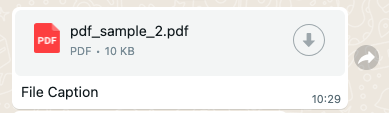
#### Enviar um arquivo

Envia um arquivo para o WhatsApp, que precisa estar dentro do período de mensagens (até 24 horas após a última resposta do destinatário).

<table style="width: 100%;">
  <tr>
    <th style="width: 10%; text-align: center;">Tipo da Requisição</th>
    <th style="width: 15%;">URL</th>
  </tr>
  <tr>
    <td style="text-align: center"><img src="assets/post.png" width="60" height="30"></td>
    <td>https://api.notificame.com.br/v1/channels/whatsapp/messages</td>
  </tr>
</table>

##### Header:

```js
"X-Api-Token": {{token_da_conta}}
```

##### Body:

```js
{
    "from": {{id_do_canal}},
    "to": {{número_do_destinatário}},
    "contents": [
        {
            "type": "file",
            "fileMimeType": "document", // Para enviar imagens ou vídeos troque para "image" ou "video"
            "fileUrl": {{link_do_arquivo}},
            "fileCaption": "File Caption"
        }
    ]
}
```

##### Resposta:

<img src="assets/arquivo.png" style="margin-top: 24px">

```js
{
    "from": {{id_do_canal}},
    "to": {{número_do_destinatário}},
    "contents":"{\"type\":\"file\",\"fileMimeType\":\"document\",\"fileUrl\":\"{{link_do_arquivo}}\",\"fileCaption\":\"File Caption\"}",
    "id": {{id_da_mensagem}},
    "direction": "OUT"
}
```

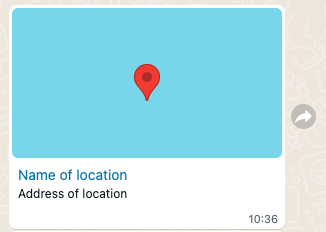
#### Enviar localização

Envia a loaclização para o WhatsApp, que precisa estar dentro do período de mensagens (até 24 horas após a última resposta do destinatário).

<table style="width: 100%;">
  <tr>
    <th style="width: 10%; text-align: center;">Tipo da Requisição</th>
    <th style="width: 15%;">URL</th>
  </tr>
  <tr>
    <td style="text-align: center"><img src="assets/post.png" width="60" height="30"></td>
    <td>https://api.notificame.com.br/v1/channels/whatsapp/messages</td>
  </tr>
</table>

##### Header:

```js
"X-Api-Token": {{token_da_conta}}
```

##### Body:

```js
{
    "from": {{id_do_canal}},
    "to": {{número_do_destinatário}},
    "contents": [
        {
            "type": "location",
            "longitude": -25.510785,
            "latitude": -48.310882,
            "name": "Name of location",
            "address": "Address of location"
        }
    ]
}
```

##### Resposta:

<img src="assets/localizacao.png" style="margin-top: 24px">

```js
{
    "from": {{id_do_canal}},
    "to": {{número_do_destinatário}},
    "contents": "{\"type\":\"location\",\"longitude\":-25.510785,\"latitude\":-48.310882,\"name\":\"Name of location\",\"address\":\"Address of location\"}",
    "id": {{id_da_mensagem}},
    "direction": "OUT"
}
```

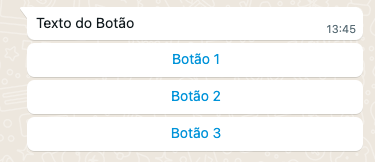
#### Enviar mensagem interativa com botões

Envia uma mensagem interativa para o WhatsApp, que precisa estar dentro do período de mensagens (até 24 horas após a última resposta do destinatário).

<table style="width: 100%;">
  <tr>
    <th style="width: 10%; text-align: center;">Tipo da Requisição</th>
    <th style="width: 15%;">URL</th>
  </tr>
  <tr>
    <td style="text-align: center"><img src="assets/post.png" width="60" height="30"></td>
    <td>https://api.notificame.com.br/v1/channels/whatsapp/messages</td>
  </tr>
</table>

##### Header:

```js
"X-Api-Token": {{token_da_conta}}
```

##### Body:

```js
{
    "from": {{id_do_canal}},
    "to": {{número_do_destinatário}},
    "contents": [
        {
            "type": "interactive",
            "interactive": {
                "type": "button",
                "body": {
                    "text": "{{texto_do_body}}"
                },
                "action": {
                    "buttons": [
                        {
                            "type": "reply",
                            "reply": {
                                "id": "1",
                                "title": "{{texto_do_botão}}"
                            }
                        },
                        {
                            "type": "reply",
                            "reply": {
                                "id": "2",
                                "title": "{{texto_do_botão}}"
                            }
                        },
                        {
                            "type": "reply",
                            "reply": {
                                "id": "3",
                                "title": "{{texto_do_botão}}"
                            }
                        }
                    ]
                }
            }
        }
    ]
}
```

##### Resposta:

<img src="assets/interativo_botao.png" style="margin-top: 24px">

```js
{
    "from": {{id_do_canal}},
    "to": {{número_do_destinatário}},
    "contents":"{\"type\":\"interactive\",\"interactive\":{\"type\":\"button\",\"body\":{\"text\":\"{{texto_do_body}}\"},\"action\":{\"buttons\":[{\"type\":\"reply\",\"reply\":{\"id\":\"1\",\"title\":\"{{texto_do_botão}}\"}},{\"type\":\"reply\",\"reply\":{\"id\":\"2\",\"title\":\"{{texto_do_botão}}\"}},{\"type\":\"reply\",\"reply\":{\"id\":\"3\",\"title\":\"{{texto_do_botão}}\"}}]}}}",
    "id": {{id_da_mensagem}},
    "direction": "OUT"
}
```

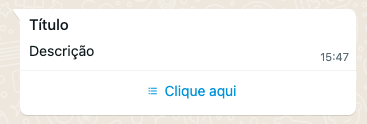
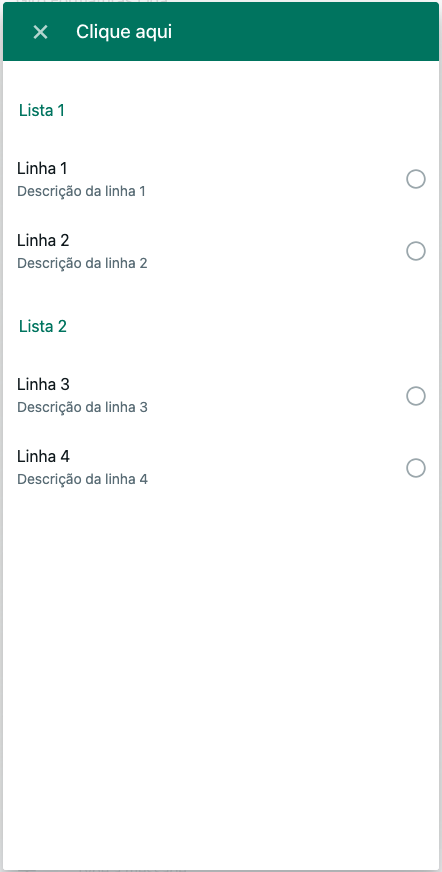
#### Enviar mensagem interativa com listas

Envia uma mensagem interativa para o WhatsApp, que precisa estar dentro do período de mensagens (até 24 horas após a última resposta do destinatário).

<table style="width: 100%;">
  <tr>
    <th style="width: 10%; text-align: center;">Tipo da Requisição</th>
    <th style="width: 15%;">URL</th>
  </tr>
  <tr>
    <td style="text-align: center"><img src="assets/post.png" width="60" height="30"></td>
    <td>https://api.notificame.com.br/v1/channels/whatsapp/messages</td>
  </tr>
</table>

##### Header:

```js
"X-Api-Token": {{token_da_conta}}
```

##### Body:

```js
{
    "from": {{id_do_canal}},
    "to": {{número_do_destinatário}},
    "contents": [
        {
            "type": "interactive",
            "interactive": {
                "type": "list",
                "header": {
                    "type": "text",
                    "text": "{{texto_do_header}}"
                },
                "body": {
                    "text": "{{texto_do_body}}"
                },
                "action": {
                    "sections": [
                        {
                            "title": "{{título_da_lista}}",
                            "rows": [
                                {
                                    "id": 1,
                                    "title": "{{título_da_linha}}",
                                    "description": "{{descrição_da_linha}}"
                                },
                                {
                                    "id": 2,
                                    "title": "{{título_da_linha}}",
                                    "description": "{{descrição_da_linha}}"
                                }
                            ]
                        },
                        {
                            "title": "{{título_da_lista}}",
                            "rows": [
                                {
                                    "id": 3,
                                    "title": "{{título_da_linha}}",
                                    "description": "{{descrição_da_linha}}"
                                },
                                {
                                    "id": 4,
                                    "title": "{{título_da_linha}}",
                                    "description": "{{descrição_da_linha}}"
                                }
                            ]
                        }
                    ],
                    "button": "{{texto_do_botão}}"
                }
            }
        }
    ]
}
```

##### Resposta:

<img src="assets/interativo_lista_1.png" style="margin-top: 24px">
<img src="assets/interativo_lista_2.png" style="margin-top: 24px">

```js
{
    "from": {{id_do_canal}},
    "to": {{número_do_destinatário}},
    "contents":"{\"type\":\"interactive\",\"interactive\":{\"type\":\"list\",\"header\":{\"type\":\"text\",\"text\":\"{{texto_do_header}}\"},\"body\":{\"text\":\"{{texto_do_body}}\"},\"action\":{\"sections\":[{\"title\":\"{{título_da_lista}}\",\"rows\":[{\"id\":1,\"title\":\"{{título_da_linha}}\",\"description\":\"{{descrição_da_linha}}"},{\"id\":2,\"title\":\"{{título_da_linha}}\",\"description\":\"{{descrição_da_linha}}\"}]},{\"title\":\"{{título_da_lista}}\",\"rows\":[{\"id\":3,\"title\":\"{{título_da_linha}}\",\"description\":\"{{descrição_da_linha}}\"},{\"id\":4,\"title\":\"{{título_da_linha}}\",\"description\":\"{{descrição_da_linha}}\"}]}],\"button\":\"{{texto_do_botão}}\"}}}",
    "id": {{id_da_mensagem}},
    "direction": "OUT"
}
```

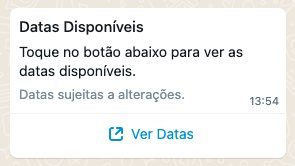
#### Enviar mensagem interativa com link (Call To Action):

Envia uma mensagem interativa para o WhatsApp, que precisa estar dentro do período de mensagens (até 24 horas após a última resposta do destinatário).

<table style="width: 100%;">
  <tr>
    <th style="width: 10%; text-align: center;">Tipo da Requisição</th>
    <th style="width: 15%;">URL</th>
  </tr>
  <tr>
    <td style="text-align: center"><img src="assets/post.png" width="60" height="30"></td>
    <td>https://api.notificame.com.br/v1/channels/whatsapp/messages</td>
  </tr>
</table>

##### Header:

```js
"X-Api-Token": {{token_da_conta}}
```

##### Body:

```js
{
    "from": {{id_do_canal}},
    "to": {{número_do_destinatário}},
    "contents": [
        {
            "type": "interactive",
            "interactive": {
                "type": "cta_url",
                "header": {
                    "type": "text",
                    "text": "{{texto_do_header}}"
                },
                "body": {
                    "text": "{{texto_do_body}}"
                },
                "footer": {
                    "text": "{{texto_do_footer}}"
                },
                "action": {
                    "name": "cta_url",
                    "parameters": {
                        "display_text": "{{texto_do_botão}}",
                        "url": "{{link_do_botão}}"
                    }
                }
            }
        }
    ]
}
```

##### Resposta:

<img src="assets/interativo_cta.png" style="margin-top: 24px">

```js
{
    "from": {{id_do_canal}},
    "to": {{número_do_destinatário}},
    "contents":"{\"type\":\"interactive\",\"interactive\":{\"type\":\"cta_url\",\"header\":{\"type\":\"text\",\"text\":\"{{texto_do_header}}\"},\"body\":{\"text\":\"{{texto_do_body}}\"},\"footer\":{\"text\":\"{{texto_do_footer}}\"},\"action\":{\"name\":\"cta_url\",\"parameters\":{\"display_text\":\"{{texto_do_botão}}\",\"url\":\"{{link_do_botão}}\"}}}}",
    "id": {{id_da_mensagem}},
    "direction": "OUT"
}
```

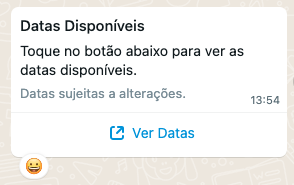
#### Reagir a uma mensagem

Envia uma reação a uma mensagem do WhatsApp, que precisa estar dentro do período de mensagens (até 24 horas após a última resposta do destinatário).

<table style="width: 100%;">
  <tr>
    <th style="width: 10%; text-align: center;">Tipo da Requisição</th>
    <th style="width: 15%;">URL</th>
  </tr>
  <tr>
    <td style="text-align: center"><img src="assets/post.png" width="60" height="30"></td>
    <td>https://api.notificame.com.br/v1/channels/whatsapp/messages</td>
  </tr>
</table>

##### Header:

```js
"X-Api-Token": {{token_da_conta}}
```

##### Body:

```js
{
    "from": {{id_do_canal}},
    "to": {{número_do_destinatário}},
    "contents": [
        {
            "type": "reaction",
            "reaction": {
                "message_id": "{{wamid.MESSAGE_ID}}", // ID da mensagem
                "emoji": "\uD83D\uDE00" // Emoji
            }
        }
    ]
}
```

##### Resposta:

<img src="assets/reacao.png" style="margin-top: 24px">

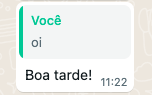
#### Responder uma mensagem (com marcação)

Responde diretamente a uma mensagem do WhatsApp, precisa estar dentro do período de mensagens (até 24 horas após a última resposta do destinatário).

<table style="width: 100%;">
  <tr>
    <th style="width: 10%; text-align: center;">Tipo da Requisição</th>
    <th style="width: 15%;">URL</th>
  </tr>
  <tr>
    <td style="text-align: center"><img src="assets/post.png" width="60" height="30"></td>
    <td>https://api.notificame.com.br/v1/channels/whatsapp/messages</td>
  </tr>
</table>

##### Header:

```js
"X-Api-Token": {{token_da_conta}}
```

##### Body:

```js
{
    "from": {{id_do_canal}},
    "to": "whatsapp",
    "messageId": "{{providerMessageId}}", // ID da mensagem que irá ser respondida
    "reply": true, // Precisa ser "true" para que a resposta marque a mensagem
    "contents": [ // É possível alterar o 'content' para responder com outros tipos de mensagem, como áudios, imagens, arquivos e mensagens interativas. Basta seguir o exemplo da documentação de 'contents' do tipo de mensagem desejado.
        {
            "type": "text",
            "text": "Boa tarde!"
        }
    ]
}
```

##### Resposta:

<img src="assets/reply_wpp.png">

#### Fazer download de um arquivo criptografado:

Faz o download de um arquivo criptografado de uma conversa do WhatsApp.

<table style="width: 100%;">
  <tr>
    <th style="width: 10%; text-align: center;">Tipo da Requisição</th>
    <th style="width: 15%;">URL</th>
  </tr>
  <tr>
    <td style="text-align: center"><img src="assets/post.png" width="60" height="30"></td>
    <td>https://api.notificame.com.br/v1/channels/whatsapp/media</td>
  </tr>
</table>

##### Header:

```js
"X-Api-Token": {{token_da_conta}}
```

##### Body:

```js
{
    "from": {{id_do_canal}},
    "to": "whatsapp",
    "contents": [
        {
            "type": "file",
            "fileUrl": "https://lookaside.fbsbx.com/whatsapp_business/attachments/?mid=...", // Link do arquivo criptografado
            "fileMimeType": "jpeg" // Tipo do arquivo
        }
    ]
}
```

##### Resposta:

<img src="assets/download_media.jpeg" style="margin-top: 24px; width: 148px;">

<!----------------------------------------------- Exemplos Instagram ----------------------------------------------->

### <img src="assets/instagram.svg" width="18" height="18" style="margin-right: 4px"> Instagram

> **Tópicos**
> 1. [**Enviar uma mensagem de texto**](#enviar-uma-mensagem-de-texto-1)
> 2. [**Enviar uma mensagem de áudio**](#enviar-uma-mensagem-de-áudio-1)
> 3. [**Enviar um arquivo (imagens, vídeos...)**](#enviar-um-arquivo-1)
> 4. [**Responder um comentário**](#responder-um-comentário)
> 5. [**Enviar template de botões**](#enviar-um-template-de-botões)
> 6. [**Fazer uma publicação**](#fazer-uma-publicação-no-instagram-feed-stories-e-reels)
> 7. [**Listar postagens da conta**](#listar-postagens)

#### Enviar uma mensagem de texto

Envia uma mensagem de texto para o Instagram, que precisa estar dentro do período de mensagens (até 24 horas após a última resposta do destinatário).

<table style="width: 100%;">
  <tr>
    <th style="width: 10%; text-align: center;">Tipo da Requisição</th>
    <th style="width: 15%;">URL</th>
  </tr>
  <tr>
    <td style="text-align: center"><img src="assets/post.png" width="60" height="30"></td>
    <td>https://api.notificame.com.br/v1/channels/instagram/messages</td>
  </tr>
</table>

##### Header:

```js
"X-Api-Token": {{token_da_conta}}
```

##### Body:

```js
{
    "from": {{id_do_canal}},
    "to": {{id_do_destinatário}},
    "contents": [
        {
            "type": "text",
            "text": "Oi"
        }
    ]
}
```

##### Resposta:

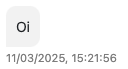
<img src="assets/mensagem_insta.png" style="margin-top: 24px">

```js
{
    "from": {{id_do_canal}},
    "to": {{id_do_destinatário}},
    "contents": "{\"type\":\"text\",\"text\":\"Oi\"}",
    "id": {{id_da_mensagem}},
    "direction": "OUT",
    "visitor": {
        "name": {{username_do_destinatário}},
        "firstName": {{primeiro_nome_do_destinatário}},
        "lastName": {{sobrenome_do_destinatário}},
        "picture": {{foto_de_perfil_do_destinatário}}
    }
}
```

#### Enviar uma mensagem de áudio

Envia uma mensagem de áudio para o Instagram, que precisa estar dentro do período de mensagens (até 24 horas após a última resposta do destinatário).

<table style="width: 100%;">
  <tr>
    <th style="width: 10%; text-align: center;">Tipo da Requisição</th>
    <th style="width: 15%;">URL</th>
  </tr>
  <tr>
    <td style="text-align: center"><img src="assets/post.png" width="60" height="30"></td>
    <td>https://api.notificame.com.br/v1/channels/instagram/messages</td>
  </tr>
</table>

##### Header:

```js
"X-Api-Token": {{token_da_conta}}
```

##### Body:

```js
{
    "from": {{id_do_canal}},
    "to": {{id_do_destinatário}},
    "contents": [
        {
            "type": "file",
            "fileMimeType": "audio",
            "fileUrl": {{link_do_arquivo}},
            "fileCaption": "Áudio"
        }
    ]
}
```

##### Resposta:

<img src="assets/audio_insta.png" style="margin-top: 24px">

```js
{
    "from": {{id_do_canal}},
    "to": {{id_do_destinatário}},
    "contents":"{\"type\":\"file\",\"fileMimeType\":\"audio\",\"fileUrl\":\"{{link_do_arquivo}}\",\"fileCaption\":\"\Áudio\"}",
    "id": {{id_da_mensagem}},
    "direction": "OUT",
    "visitor": {
        "name": {{username_do_destinatário}},
        "firstName": {{primeiro_nome_do_destinatário}},
        "lastName": {{sobrenome_do_destinatário}},
        "picture": {{foto_de_perfil_do_destinatário}}
    }
}
```

#### Enviar um arquivo

Envia um arquivo para o Instagram, que precisa estar dentro do período de mensagens (até 24 horas após a última resposta do destinatário).

<table style="width: 100%;">
  <tr>
    <th style="width: 10%; text-align: center;">Tipo da Requisição</th>
    <th style="width: 15%;">URL</th>
  </tr>
  <tr>
    <td style="text-align: center"><img src="assets/post.png" width="60" height="30"></td>
    <td>https://api.notificame.com.br/v1/channels/instagram/messages</td>
  </tr>
</table>

##### Header:

```js
"X-Api-Token": {{token_da_conta}}
```

##### Body:

```js
{
    "from": {{id_do_canal}},
    "to": {{id_do_destinatário}},
    "contents": [
        {
            "type": "file",
            "fileMimeType": "image", // Para enviar imagens ou vídeos troque para "image" ou "video"
            "fileUrl": {{link_do_arquivo}},
            "fileCaption": "File Caption"
        }
    ]
}
```

##### Resposta:

<img src="assets/arquivo_insta.png" style="margin-top: 24px">

```js
{
    "from": {{id_do_canal}},
    "to": {{id_do_destinatário}},
    "contents":"{\"type\":\"file\",\"fileMimeType\":\"image\",\"fileUrl\":\"{{link_do_arquivo}}\",\"fileCaption\":\"File Caption\"}",
    "id": {{id_da_mensagem}},
    "direction": "OUT",
    "visitor": {
        "name": {{username_do_destinatário}},
        "firstName": {{primeiro_nome_do_destinatário}},
        "lastName": {{sobrenome_do_destinatário}},
        "picture": {{foto_de_perfil_do_destinatário}}
    }
}
```

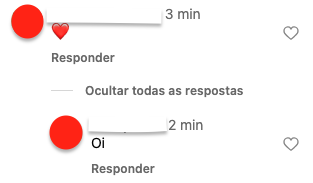
#### Responder um comentário

Responder a um comentário do Instagram.

<table style="width: 100%;">
  <tr>
    <th style="width: 10%; text-align: center;">Tipo da Requisição</th>
    <th style="width: 15%;">URL</th>
  </tr>
  <tr>
    <td style="text-align: center"><img src="assets/post.png" width="60" height="30"></td>
    <td>https://api.notificame.com.br/v1/channels/instagram/messages</td>
  </tr>
</table>

##### Header:

```js
"X-Api-Token": {{token_da_conta}}
```

##### Body:

```js
{
    "from": {{id_do_canal}},
    "to": {{id_do_destinatário}},
    "contents": [
        {
            "type": "reply_text",
            "messsageId": {{id_do_comentário}},
            "text": "Oi"
        }
    ]
}
```

##### Resposta:

<img src="assets/reply_insta.png" style="margin-top: 24px">

```js
{
    "from": {{id_do_canal}},
    "to": {{id_do_destinatário}},
    "contents": "{\"type\":\"reply_text\",\"messsageId\":\"{{id_do_comentário}}\",\"text\":\"Oi\"}",
    "id": {{id_da_mensagem}},
    "direction": "OUT",
    "visitor": {
        "name": {{username_do_destinatário}},
        "firstName": {{primeiro_nome_do_destinatário}},
        "lastName": {{sobrenome_do_destinatário}},
        "picture": {{foto_de_perfil_do_destinatário}}
    }
}
```

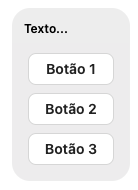
#### Enviar um template de botões

Enviar um template de botões no Instagram.

<table style="width: 100%;">
  <tr>
    <th style="width: 10%; text-align: center;">Tipo da Requisição</th>
    <th style="width: 15%;">URL</th>
  </tr>
  <tr>
    <td style="text-align: center"><img src="assets/post.png" width="60" height="30"></td>
    <td>https://api.notificame.com.br/v1/channels/instagram/messages</td>
  </tr>
</table>

##### Header:

```js
"X-Api-Token": {{token_da_conta}}
```

##### Body:

```js
{
    "from": {{id_do_canal}},
    "to": {{id_do_destinatário}},
    "contents": [
        {
            "type": "template",
            "template": {
                "template_type": "button",
                "text": "Texto...",
                "buttons": [
                    {
                        "type": "web_url",
                        "url": "https://app.notificame.com.br",
                        "title": "Botão 1"
                    },
                    {
                        "type": "web_url",
                        "url": "https://app.notificame.com.br",
                        "title": "Botão 2"
                    },
                    {
                        "type": "web_url",
                        "url": "https://app.notificame.com.br",
                        "title": "Botão 3"
                    }
                ]
            }
        }
    ]
}
```

##### Resposta:

<img src="assets/template_insta.png" style="margin-top: 24px">

```js
{
    "from": {{id_do_canal}},
    "to": {{id_do_destinatário}},
    "contents":"{\"type\":\"template\",\"template\":{\"template_type\":\"button\",\"text\":\"Texto...\",\"buttons\":[{\"type\":\"web_url\",\"url\":\"https:\\/\\/app.notificame.com.br\",\"title\":\"Bot\ão 1\"},{\"type\":\"web_url\",\"url\":\"https:\\/\\/app.notificame.com.br\",\"title\":\"Bot\ão 2\"},{\"type\":\"web_url\",\"url\":\"https:\\/\\/app.notificame.com.br\",\"title\":\"Bot\ão 3\"}]}}",
    "id": {{id_da_mensagem}},
    "direction": "OUT",
    "visitor": {
        "name": {{username_do_destinatário}},
        "firstName": {{primeiro_nome_do_destinatário}},
        "lastName": {{sobrenome_do_destinatário}},
        "picture": {{foto_de_perfil_do_destinatário}}
    }
}
```

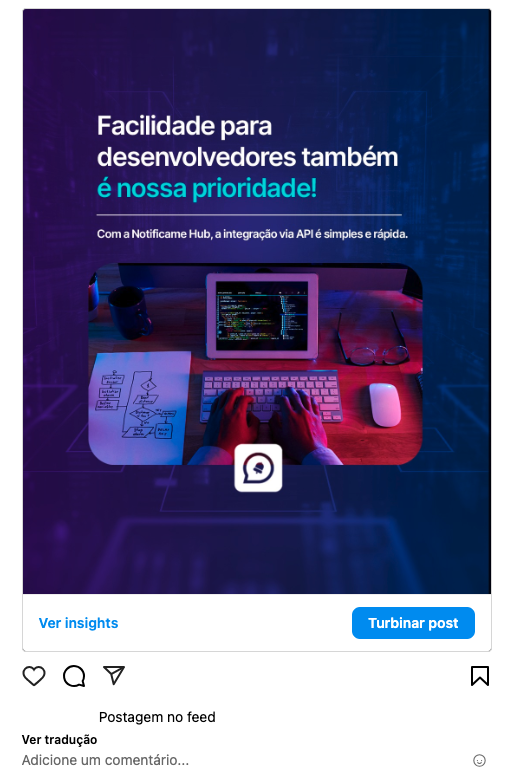
#### Fazer uma publicação no Instagram (feed, stories e reels)

- Feed (imagens).
- Stories (imagens e vídeos).
- Reels (vídeos).

<table style="width: 100%;">
  <tr>
    <th style="width: 10%; text-align: center;">Tipo da Requisição</th>
    <th style="width: 15%;">URL</th>
  </tr>
  <tr>
    <td style="text-align: center"><img src="assets/post.png" width="60" height="30"></td>
    <td>https://api.notificame.com.br/v1/channels/instagram/messages</td>
  </tr>
</table>

##### Header:

```js
"X-Api-Token": {{token_da_conta}}
```

##### Body:

```js
{
    "from": {{id_do_canal}},
    "contents": [
        {
            "type": "feed", // Utilize feed, stories ou reels
            "fileUrl": {{link_do_arquivo}}, 
            "fileCaption": "Postagem no feed" // Legenda
        }
    ]
}
```

##### Resposta:

<img src="assets/feed_insta.png" style="margin-top: 24px">

```js
{
    "from": {{id_do_canal}},
    "to": null,
    "contents": "{\"type\":\"feed\",\"fileUrl\":\"{{link_do_arquivo}}\",\"fileCaption\":\"Postagem no feed\"}",
    "id": {{id_da_mensagem}},
    "direction": "OUT"
}
```

#### Listar postagens

Listar publicações do Instagram.

<table style="width: 100%;">
  <tr>
    <th style="width: 10%; text-align: center;">Tipo da Requisição</th>
    <th style="width: 15%;">URL</th>
  </tr>
  <tr>
    <td style="text-align: center"><img src="assets/get.png" width="60" height="30"></td>
    <td>https://api.notificame.com.br/v1/channels/instagram/publish?channel_id={{id_do_canal}}</td>
  </tr>
</table>

##### Header:

```js
"X-Api-Token": {{token_da_conta}}
```

##### Resposta:

```js
{
    "data": [
        {
            "id": {{id_da_postagem}},
            "caption": {{legenda}},
            "media_type": {{tipo_de_midia}},
            "media_url": {{link_da_midia}},
            "permalink": {{link_da_postagem}},
            "timestamp": {{data_da_postagem}},
            "username": {{username}}
        },
        {
            "id": {{id_da_postagem}},
            "caption": {{legenda}},
            "media_type": {{tipo_de_midia}},
            "media_url": {{link_da_midia}},
            "permalink": {{link_da_postagem}},
            "thumbnail_url": {{capa_do_video}},
            "timestamp": {{data_da_postagem}},
            "username": {{username}}
        },
        {
            "id": {{id_da_postagem}},
            "caption": {{legenda}},
            "media_type": {{tipo_de_midia}},
            "media_url": {{link_da_midia}},
            "permalink": {{link_da_postagem}},
            "timestamp": {{data_da_postagem}},
            "username": {{username}}
        }
    ]
}
```

<!----------------------------------------------- Exemplos Facebook ----------------------------------------------->

### <img src="assets/facebook.svg" width="18" height="18" style="margin-right: 4px"> Facebook

> **Tópicos**
> 1. [**Enviar uma mensagem de texto**](#enviar-uma-mensagem-de-texto-2)
> 2. [**Enviar uma mensagem de áudio**](#enviar-uma-mensagem-de-áudio-2)
> 3. [**Enviar um arquivo (imagens, vídeos...)**](#enviar-um-arquivo-2)
> 4. [**Enviar um template genérico**](#enviar-um-template-genérico)
> 5. [**Enviar um template de botão**](#enviar-um-template-de-botão)
> 6. [**Enviar um template de mídia**](#enviar-um-template-de-mídia)

#### Enviar uma mensagem de texto

Envia uma mensagem de texto para o Facebook, que precisa estar dentro do período de mensagens (até 24 horas após a última resposta do destinatário).

<table style="width: 100%;">
  <tr>
    <th style="width: 10%; text-align: center;">Tipo da Requisição</th>
    <th style="width: 15%;">URL</th>
  </tr>
  <tr>
    <td style="text-align: center"><img src="assets/post.png" width="60" height="30"></td>
    <td>https://api.notificame.com.br/v1/channels/facebook/messages</td>
  </tr>
</table>

##### Header:

```js
"X-Api-Token": {{token_da_conta}}
```

##### Body:

```js
{
    "from": {{id_do_canal}},
    "to": {{id_do_destinatário}},
    "contents": [
        {
            "type": "text",
            "text": "Oi"
        }
    ]
}
```

##### Resposta:

<img src="assets/mensagem_facebook.png" style="margin-top: 24px">

```js
{
    "from": {{id_do_canal}},
    "to": {{id_do_destinatário}},
    "contents": {
        "type": "text",
        "text": "Oi"
    },
    "id": {{id_da_mensagem}},
    "direction": "OUT"
}
```

#### Enviar uma mensagem de áudio

Envia uma mensagem de áudio para o Facebook, que precisa estar dentro do período de mensagens (até 24 horas após a última resposta do destinatário).

<table style="width: 100%;">
  <tr>
    <th style="width: 10%; text-align: center;">Tipo da Requisição</th>
    <th style="width: 15%;">URL</th>
  </tr>
  <tr>
    <td style="text-align: center"><img src="assets/post.png" width="60" height="30"></td>
    <td>https://api.notificame.com.br/v1/channels/facebook/messages</td>
  </tr>
</table>

##### Header:

```js
"X-Api-Token": {{token_da_conta}}
```

##### Body:

```js
{
    "from": {{id_do_canal}},
    "to": {{id_do_destinatário}},
    "contents": [
        {
            "type": "file",
            "fileMimeType": "audio",
            "fileUrl": {{link_do_arquivo}},
            "fileCaption": "Áudio"
        }
    ]
}
```

##### Resposta:

<img src="assets/audio_facebook.png" style="margin-top: 24px">

```js
{
    "from": {{id_do_canal}},
    "to": {{id_do_destinatário}},
    "contents": {
        "type": "file",
        "fileUrl": {{link_do_arquivo}},
        "fileMimeType": "audio",
        "fileCaption": "Áudio"
    },
    "id": {{id_da_mensagem}},
    "direction": "OUT",
}
```

#### Enviar um arquivo

Envia um arquivo para o Facebook, que precisa estar dentro do período de mensagens (até 24 horas após a última resposta do destinatário).

<table style="width: 100%;">
  <tr>
    <th style="width: 10%; text-align: center;">Tipo da Requisição</th>
    <th style="width: 15%;">URL</th>
  </tr>
  <tr>
    <td style="text-align: center"><img src="assets/post.png" width="60" height="30"></td>
    <td>https://api.notificame.com.br/v1/channels/facebook/messages</td>
  </tr>
</table>

##### Header:

```js
"X-Api-Token": {{token_da_conta}}
```

##### Body:

```js
{
    "from": {{id_do_canal}},
    "to": {{id_do_destinatário}},
    "contents": [
        {
            "type": "file",
            "fileMimeType": "image", // Para enviar imagens ou vídeos troque para "image" ou "video"
            "fileUrl": {{link_do_arquivo}},
            "fileCaption": "Legenda"
        }
    ]
}
```

##### Resposta:

<img src="assets/arquivo_facebook.png" style="margin-top: 24px">

```js
{
    "from": {{id_do_canal}},
    "to": {{id_do_destinatário}},
    "contents": {
        "type": "file",
        "fileUrl": {{link_do_arquivo}},
        "fileMimeType": "image",
        "fileCaption": "Legenda"
    },
    "id": {{id_da_mensagem}},
    "direction": "OUT",
}
```

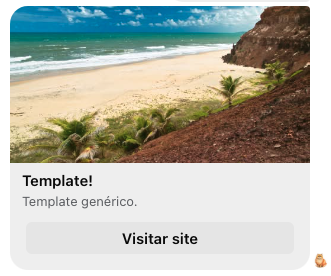
#### Enviar um template genérico

Envia um template genérico para o Facebook.

<table style="width: 100%;">
  <tr>
    <th style="width: 10%; text-align: center;">Tipo da Requisição</th>
    <th style="width: 15%;">URL</th>
  </tr>
  <tr>
    <td style="text-align: center"><img src="assets/post.png" width="60" height="30"></td>
    <td>https://api.notificame.com.br/v1/channels/facebook/messages</td>
  </tr>
</table>

##### Header:

```js
"X-Api-Token": {{token_da_conta}}
```

##### Body:

```js
{
    "from": {{id_do_canal}},
    "to": {{id_do_destinatário}},
    "contents": [
        {
            "type": "template",
            "template": {
                "template_type": "generic",
                "elements": [
                    {
                        "title": "Template!",
                        "image_url": {{link_da_imagem}},
                        "subtitle": "Template genérico.",
                        "default_action": {
                            "type": "web_url",
                            "url": "https://notificame.com.br",
                            "webview_height_ratio": "tall"
                        },
                        "buttons": [
                            {
                                "type": "web_url",
                                "url": "https://notificame.com.br",
                                "title": "Visitar site"
                            }
                        ]
                    }
                ]
            }
        }
    ]
}
```

##### Resposta:

<img src="assets/template_generico_facebook.png" style="margin-top: 24px">

```js
{
    "from": {{id_do_canal}},
    "to": {{id_do_destinatário}},
    "contents": {
        "type": "template",
        "template": {
            "template_type": "generic",
            "elements": [
                {
                    "title": "Template!",
                    "image_url": {{link_da_imagem}},
                    "subtitle": "Template genérico.",
                    "default_action": {
                        "type": "web_url",
                        "url": "https://notificame.com.br",
                        "webview_height_ratio": "tall"
                    },
                    "buttons": [
                        {
                            "type": "web_url",
                            "url": "https://notificame.com.br",
                            "title": "Visitar site"
                        }
                    ]
                }
            ]
        }
    },
    "id": {{id_da_mensagem}},
    "direction": "OUT",
}
```

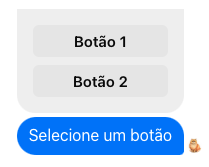
#### Enviar um template de botão

Envia um template de botão para o Facebook.

<table style="width: 100%;">
  <tr>
    <th style="width: 10%; text-align: center;">Tipo da Requisição</th>
    <th style="width: 15%;">URL</th>
  </tr>
  <tr>
    <td style="text-align: center"><img src="assets/post.png" width="60" height="30"></td>
    <td>https://api.notificame.com.br/v1/channels/facebook/messages</td>
  </tr>
</table>

##### Header:

```js
"X-Api-Token": {{token_da_conta}}
```

##### Body:

```js
{
    "from": {{id_do_canal}},
    "to": {{id_do_destinatário}},
    "contents": [
        {
            "type": "template",
            "template": {
                "template_type": "button",
                "text": "Selecione um botão",
                "buttons": [
                    {
                        "type": "web_url",
                        "url": "https://notificame.com.br",
                        "title": "Botão 1"
                    },
                    {
                        "type": "web_url",
                        "url": "https://notificame.com.br",
                        "title": "Botão 2"
                    }
                ]
            }
        }
    ]
}
```

##### Resposta:

<img src="assets/template_botão_facebook.png" style="margin-top: 24px">

```js
{
    "from": {{id_do_canal}},
    "to": {{id_do_destinatário}},
    "contents": {
        "type": "template",
        "template": {
            "template_type": "button",
            "text": "Selecione um botão",
            "buttons": [
                {
                    "type": "web_url",
                    "url": "https://notificame.com.br",
                    "title": "Botão 1"
                },
                {
                    "type": "web_url",
                    "url": "https://notificame.com.br",
                    "title": "Botão 2"
                }
            ]
        }
    },
    "id": {{id_da_mensagem}},
    "direction": "OUT",
}
```

#### Enviar um template de mídia

Envia um template de mídia para o Facebook.

<table style="width: 100%;">
  <tr>
    <th style="width: 10%; text-align: center;">Tipo da Requisição</th>
    <th style="width: 15%;">URL</th>
  </tr>
  <tr>
    <td style="text-align: center"><img src="assets/post.png" width="60" height="30"></td>
    <td>https://api.notificame.com.br/v1/channels/facebook/messages</td>
  </tr>
</table>

##### Header:

```js
"X-Api-Token": {{token_da_conta}}
```

##### Body:

```js
{
    "from": {{id_do_canal}},
    "to": {{id_do_destinatário}},
    "contents": [
        {
            "type": "template",
            "template": {
                "template_type": "media",
                "elements": [
                    {
                        "media_type": "image",
                        "url": {{link_da_imagem}}
                    }
                ]
            }
        }
    ]
}
```

##### Resposta:

<img src="assets/template_mídia_facebook.png" style="margin-top: 24px">

```js
{
    "from": {{id_do_canal}},
    "to": {{id_do_destinatário}},
    "contents": {
        "type": "template",
        "template": {
            "template_type": "media",
            "elements": [
                {
                    "media_type": "image",
                    "url": {{link_da_imagem}}
                }
            ]
        }
    },
    "id": {{id_da_mensagem}},
    "direction": "OUT",
}
```

<!----------------------------------------------- Exemplos Telegram ----------------------------------------------->

### <img src="assets/telegram.svg" width="18" height="18" style="margin-right: 4px"> Telegram

> **Tópicos**
> 1. [**Enviar uma mensagem de texto**](#enviar-uma-mensagem-de-texto-3)
> 2. [**Enviar uma mensagem de áudio**](#enviar-uma-mensagem-de-áudio-3)
> 3. [**Enviar um arquivo (documento, imagens, vídeos...)**](#enviar-um-arquivo-3)

#### Enviar uma mensagem de texto

Envia uma mensagem de texto para o Telegram.

<table style="width: 100%;">
  <tr>
    <th style="width: 10%; text-align: center;">Tipo da Requisição</th>
    <th style="width: 15%;">URL</th>
  </tr>
  <tr>
    <td style="text-align: center"><img src="assets/post.png" width="60" height="30"></td>
    <td>https://api.notificame.com.br/v1/channels/telegram/messages</td>
  </tr>
</table>

##### Header:

```js
"X-Api-Token": {{token_da_conta}}
```

##### Body:

```js
{
    "from": {{id_do_canal}},
    "to": {{id_do_destinatário}},
    "contents": [
        {
            "type": "text",
            "text": "Oi"
        }
    ]
}
```

##### Resposta:

<img src="assets/mensagem_telegram.png" style="margin-top: 24px">

```js
{
    "from": {{id_do_canal}},
    "to": {{id_do_destinatário}},
    "contents": {
        "type": "text",
        "text": "Oi"
    },
    "id": {{id_da_mensagem}},
    "direction": "OUT"
}
```

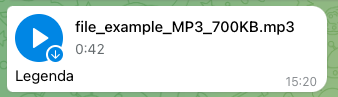
#### Enviar uma mensagem de áudio

Envia uma mensagem de áudio para o Telegram.

<table style="width: 100%;">
  <tr>
    <th style="width: 10%; text-align: center;">Tipo da Requisição</th>
    <th style="width: 15%;">URL</th>
  </tr>
  <tr>
    <td style="text-align: center"><img src="assets/post.png" width="60" height="30"></td>
    <td>https://api.notificame.com.br/v1/channels/telegram/messages</td>
  </tr>
</table>

##### Header:

```js
"X-Api-Token": {{token_da_conta}}
```

##### Body:

```js
{
    "from": {{id_do_canal}},
    "to": {{id_do_destinatário}},
    "contents": [
        {
            "type": "file",
            "fileMimeType": "audio",
            "fileUrl": {{link_do_arquivo}},
            "fileCaption": "Legenda"
        }
    ]
}
```

##### Resposta:

<img src="assets/audio_telegram.png" style="margin-top: 24px">

```js
{
    "from": {{id_do_canal}},
    "to": {{id_do_destinatário}},
    "contents": {
        "type": "file",
        "fileUrl": {{link_do_arquivo}},
        "fileMimeType": "audio",
        "fileCaption": "Legenda"
    },
    "id": {{id_da_mensagem}},
    "direction": "OUT",
}
```

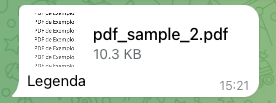
#### Enviar um arquivo

Envia um arquivo para o Telegram.

<table style="width: 100%;">
  <tr>
    <th style="width: 10%; text-align: center;">Tipo da Requisição</th>
    <th style="width: 15%;">URL</th>
  </tr>
  <tr>
    <td style="text-align: center"><img src="assets/post.png" width="60" height="30"></td>
    <td>https://api.notificame.com.br/v1/channels/telegram/messages</td>
  </tr>
</table>

##### Header:

```js
"X-Api-Token": {{token_da_conta}}
```

##### Body:

```js
{
    "from": {{id_do_canal}},
    "to": {{id_do_destinatário}},
    "contents": [
        {
            "type": "file",
            "fileMimeType": "document", // Para enviar imagens ou vídeos troque para "image" ou "video"
            "fileUrl": {{link_do_arquivo}},
            "fileCaption": "Legenda"
        }
    ]
}
```

##### Resposta:

<img src="assets/arquivo_telegram.png" style="margin-top: 24px">

```js
{
    "from": {{id_do_canal}},
    "to": {{id_do_destinatário}},
    "contents": {
        "type": "file",
        "fileUrl": {{link_do_arquivo}},
        "fileMimeType": "document",
        "fileCaption": "Legenda"
    },
    "id": {{id_da_mensagem}},
    "direction": "OUT",
}
```

<!----------------------------------------------- Exemplos Mercado Livre ----------------------------------------------->

### <img src="assets/mercado-livre.png" width="18" height="18" style="margin-right: 4px"> Mercado Livre

> **Tópicos**
> 1. [**Responder uma pergunta**](#responder-uma-pergunta)

#### Responder uma pergunta

Responder uma pergunta do Mercado Livre.

<table style="width: 100%;">
  <tr>
    <th style="width: 10%; text-align: center;">Tipo da Requisição</th>
    <th style="width: 15%;">URL</th>
  </tr>
  <tr>
    <td style="text-align: center"><img src="assets/post.png" width="60" height="30"></td>
    <td>https://api.notificame.com.br/v1/channels/mercadolivre/messages</td>
  </tr>
</table>

##### Header:

```js
"X-Api-Token": {{token_da_conta}}
```

##### Body:

```js
{
    "from": {{id_do_canal}},
    "to": {{id_da_pergunta}},
    "contents": [
        {
            "type": "text",
            "text": "Oi"
        }
    ]
}
```

##### Resposta:

```js
{
    "from": {{id_do_canal}},
    "to": {{id_da_pergunta}},
    "contents": {
        "type": "text",
        "text": "Oi"
    },
    "id": {{id_da_mensagem}},
    "direction": "OUT"
}
```

<!----------------------------------------------- Exemplos WebChat ----------------------------------------------->

### <img src="assets/webchat.png" width="18" height="18" style="margin-right: 4px"> WebChat

> **Tópicos**
> 1. [**Enviar uma mensagem de texto**](#enviar-uma-mensagem-de-texto-4)
> 2. [**Enviar um arquivo (documento, imagens, vídeos...)**](#enviar-um-arquivo-4)

#### Enviar uma mensagem de texto

Envia uma mensagem de texto para o WebChat.

<table style="width: 100%;">
  <tr>
    <th style="width: 10%; text-align: center;">Tipo da Requisição</th>
    <th style="width: 15%;">URL</th>
  </tr>
  <tr>
    <td style="text-align: center"><img src="assets/post.png" width="60" height="30"></td>
    <td>https://api.notificame.com.br/v1/channels/webchat/messages</td>
  </tr>
</table>

##### Header:

```js
"X-Api-Token": {{token_da_conta}}
```

##### Body:

```js
{
    "from": {{id_do_canal}},
    "to": {{id_do_destinatário}},
    "contents": [
        {
            "type": "text",
            "text": "Oi"
        }
    ]
}
```

##### Resposta:

<img src="assets/mensagem_webchat.png" style="margin-top: 24px">

```js
{
    "from": {{id_do_canal}},
    "to": {{id_do_destinatário}},
    "contents": {
        "type": "text",
        "text": "Oi"
    },
    "id": {{id_da_mensagem}},
    "direction": "OUT"
}
```

#### Enviar um arquivo

Envia um arquivo para o WebChat.

<table style="width: 100%;">
  <tr>
    <th style="width: 10%; text-align: center;">Tipo da Requisição</th>
    <th style="width: 15%;">URL</th>
  </tr>
  <tr>
    <td style="text-align: center"><img src="assets/post.png" width="60" height="30"></td>
    <td>https://api.notificame.com.br/v1/channels/webchat/messages</td>
  </tr>
</table>

##### Header:

```js
"X-Api-Token": {{token_da_conta}}
```

##### Body:

```js
{
    "from": {{id_do_canal}},
    "to": {{id_do_destinatário}},
    "contents": [
        {
            "type": "file",
            "fileMimeType": "image", // Para enviar documentos ou vídeos troque para "document" ou "video"
            "fileUrl": {{link_do_arquivo}},
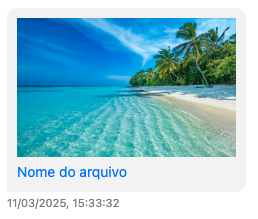
            "fileName": "Nome do arquivo"
        }
    ]
}
```

##### Resposta:

<img src="assets/arquivo_webchat.png" style="margin-top: 24px">

```js
{
    "from": {{id_do_canal}},
    "to": {{id_do_destinatário}},
    "contents": {
        "type": "file",
        "fileUrl": {{link_do_arquivo}},
        "fileMimeType": "document",
        "fileName": "Nome do arquivo"
    },
    "id": {{id_da_mensagem}},
    "direction": "OUT",
}
```

<!----------------------------------------------- Exemplos Email ----------------------------------------------->

### <img src="assets/email.svg" width="18" height="18" style="margin-right: 4px"> Email

> **Tópicos**
> 1. [**Enviar um email (somente texto)**](#enviar-um-email-somente-texto)
> 2. [**Enviar um email (com arquivos)**](#enviar-um-email-com-arquivos)

#### Enviar um email (somente texto)

Envia um email somente com texto.

<table style="width: 100%;">
  <tr>
    <th style="width: 10%; text-align: center;">Tipo da Requisição</th>
    <th style="width: 15%;">URL</th>
  </tr>
  <tr>
    <td style="text-align: center"><img src="assets/post.png" width="60" height="30"></td>
    <td>https://api.notificame.com.br/v1/channels/email/messages</td>
  </tr>
</table>

##### Header:

```js
"X-Api-Token": {{token_da_conta}}
```

##### Body:

```js
{
    "from": {{id_do_canal}},
    "to": {{email_do_destinatário}},
    "contents": [
        {
            "type": "email",
            "subject": "Assunto",
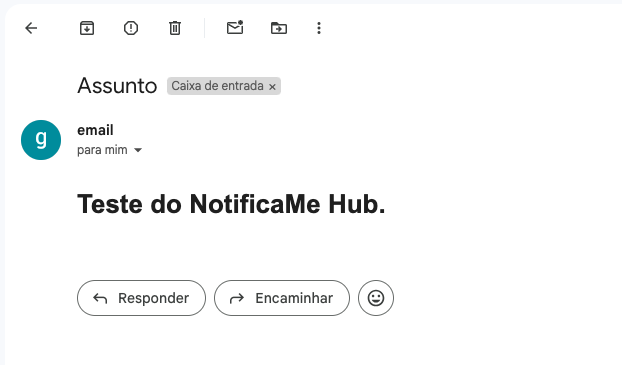
            "html": "<!DOCTYPE html> <html> <body> <h1>Teste do NotificaMe Hub.</h1> </body> </html>"
        }
    ]
}
```

##### Resposta:

<img src="assets/email_texto.png" style="margin-top: 24px">

```js
{
    "from": {{id_do_canal}},
    "to": {{email_do_destinatário}},
    "contents": "{\"type\":\"email\",\"subject\":\"Assunto\",\"html\":\"<!DOCTYPE html> <html> <body> <h1>Teste do NotificaMe Hub.<\\/h1> <\\/body> <\\/html>\"}",
    "id": {{id_da_mensagem}},
    "direction": "OUT"
}
```

#### Enviar um email (com arquivos)

Envia um email com arquivos.

<table style="width: 100%;">
  <tr>
    <th style="width: 10%; text-align: center;">Tipo da Requisição</th>
    <th style="width: 15%;">URL</th>
  </tr>
  <tr>
    <td style="text-align: center"><img src="assets/post.png" width="60" height="30"></td>
    <td>https://api.notificame.com.br/v1/channels/email/messages</td>
  </tr>
</table>

##### Header:

```js
"X-Api-Token": {{token_da_conta}}
```

##### Body:

```js
{
    "from": {{id_do_canal}},
    "to": {{email_do_destinatário}},
    "contents": [
        {
            "type": "email",
            "subject": "Assunto",
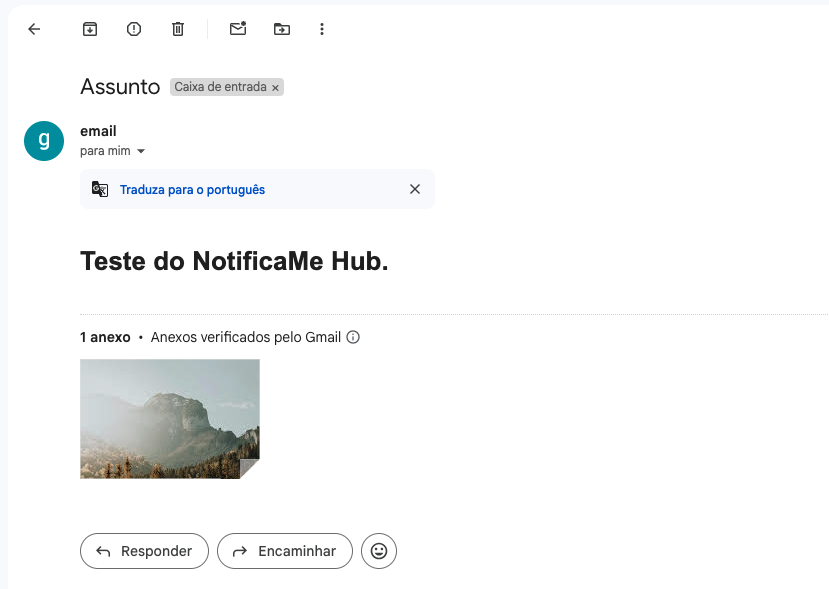
            "html": "<!DOCTYPE html> <html> <body> <h1>Teste do NotificaMe Hub.</h1> </body> </html>",
            "attachments": [
                {
                    "fileUrl": {{link_do_arquivo}},
                    "fileName": {{nome_do_arquivo}}
                }
            ]
        }
    ]
}
```

##### Resposta:

<img src="assets/email_arquivos.png" style="margin-top: 24px">

```js
{
    "from": {{id_do_canal}},
    "to": {{id_do_destinatário}},
    "contents": "{\"type\":\"email\",\"subject\":\"Assunto\",\"html\":\"<!DOCTYPE html> <html> <body> <h1>Teste do NotificaMe Hub.<\\/h1> <\\/body> <\\/html>\",\"attachments\":[{\"fileUrl\":{{link_do_arquivo}},\"fileName\":{{nome_do_arquivo}}}}]}",
    "id": {{id_da_mensagem}},
    "direction": "OUT",
}
```

<!----------------------------------------------- Exemplos OLX ----------------------------------------------->

### <img src="assets/olx-logo.ico" width="18" height="18" style="margin-right: 4px"> OLX

> **Tópicos**
> 1. [**Enviar uma mensagem de texto**](#enviar-uma-mensagem-de-texto-5)

#### Enviar uma mensagem de texto

Envia uma mensagem de texto para o OLX.

<table style="width: 100%;">
  <tr>
    <th style="width: 10%; text-align: center;">Tipo da Requisição</th>
    <th style="width: 15%;">URL</th>
  </tr>
  <tr>
    <td style="text-align: center"><img src="assets/post.png" width="60" height="30"></td>
    <td>https://api.notificame.com.br/v1/channels/olx/messages</td>
  </tr>
</table>

##### Header:

```js
"X-Api-Token": {{token_da_conta}}
```

##### Body:

```js
{
    "from": {{id_do_canal}},
    "to": {{id_do_destinatário}},
    "contents": [
        {
            "type": "text",
            "text": "Oi"
        }
    ]
}
```

##### Resposta:

```js
{
    "from": {{id_do_canal}},
    "to": {{id_do_destinatário}},
    "contents": {
        "type": "text",
        "text": "Oi"
    },
    "id": {{id_da_mensagem}},
    "direction": "OUT"
}
```

<!----------------------------------------------- Exemplos LinkedIn ----------------------------------------------->

### <img src="assets/linkedin-logo.ico" width="18" height="18" style="margin-right: 4px"> LinkedIn

> **Tópicos**
> 1. [**Publicar um texto**](#publicar-um-texto)
> 2. [**Publicar um artigo**](#publicar-um-artigo)
> 3. [**Publicar uma imagem**](#publicar-uma-imagem)
> 4. [**Publicar um vídeo**](#publicar-um-vídeo)
> 5. [**Buscar comentários**](#buscar-comentários-de-uma-publicação)
> 6. [**Responder comentário**](#responder-um-comentário-1)

#### Publicar um texto.

Faz uma publicação somente com texto.

<table style="width: 100%;">
  <tr>
    <th style="width: 10%; text-align: center;">Tipo da Requisição</th>
    <th style="width: 15%;">URL</th>
  </tr>
  <tr>
    <td style="text-align: center"><img src="assets/post.png" width="60" height="30"></td>
    <td>https://api.notificame.com.br/v1/channels/linkedin/publish</td>
  </tr>
</table>

##### Header:

```js
"X-Api-Token": {{token_da_conta}}
```

##### Body:

```js
{
    "from": {{id_do_canal}},
    "contents": [
        {
            "type": "text",
            "text": {{texto_da_publicação}}
        }
    ]
}
```

##### Resposta:

```js
{
    "from": {{id_do_canal}},
    "contents": {
        "type": "text",
        "text": {{texto_da_publicação}}
    },
    "id": {{id_da_publicação}},
    "direction": "OUT"
}
```

#### Publicar um artigo.

Faz uma publicação com um artigo.

<table style="width: 100%;">
  <tr>
    <th style="width: 10%; text-align: center;">Tipo da Requisição</th>
    <th style="width: 15%;">URL</th>
  </tr>
  <tr>
    <td style="text-align: center"><img src="assets/post.png" width="60" height="30"></td>
    <td>https://api.notificame.com.br/v1/channels/linkedin/publish</td>
  </tr>
</table>

##### Header:

```js
"X-Api-Token": {{token_da_conta}}
```

##### Body:

```js
{
    "from": {{id_do_canal}},
    "contents": [
        {
            "type": "article",
            "title": {{título_do_artigo}},
            "text": {{texto_da_publicação}},
            "description": {{descrição_do_artigo}},
            "articleUrl": {{link_do_artigo}}
        }
    ]
}
```

##### Resposta:

```js
{
    "from": {{id_do_canal}},
    "contents": {
        "type": "article",
        "title": {{título_do_artigo}},
        "text": {{texto_da_publicação}},
        "description": {{descrição_do_artigo}},
        "articleUrl": {{link_do_artigo}}
    },
    "id": {{id_da_publicação}},
    "direction": "OUT"
}
```

#### Publicar uma imagem.

Faz uma publicação com uma imagem.

<table style="width: 100%;">
  <tr>
    <th style="width: 10%; text-align: center;">Tipo da Requisição</th>
    <th style="width: 15%;">URL</th>
  </tr>
  <tr>
    <td style="text-align: center"><img src="assets/post.png" width="60" height="30"></td>
    <td>https://api.notificame.com.br/v1/channels/linkedin/publish</td>
  </tr>
</table>

##### Header:

```js
"X-Api-Token": {{token_da_conta}}
```

##### Body:

```js
{
    "from": {{id_do_canal}},
    "contents": [
        {
            "type": "image",
            "title": {{título_da_imagem}},
            "text": {{texto_da_publicação}},
            "description": {{descrição_da_imagem}},
            "fileUrl": {{link_da_imagem}}
        }
    ]
}
```

##### Resposta:

```js
{
    "from": {{id_do_canal}},
    "contents": {
        "type": "image",
        "title": {{título_da_imagem}},
        "text": {{texto_da_publicação}},
        "description": {{descrição_da_imagem}},
        "fileUrl": {{link_da_imagem}}
    },
    "id": {{id_da_publicação}},
    "direction": "OUT"
}
```

#### Publicar um vídeo.

Faz uma publicação com um vídeo.

<table style="width: 100%;">
  <tr>
    <th style="width: 10%; text-align: center;">Tipo da Requisição</th>
    <th style="width: 15%;">URL</th>
  </tr>
  <tr>
    <td style="text-align: center"><img src="assets/post.png" width="60" height="30"></td>
    <td>https://api.notificame.com.br/v1/channels/linkedin/publish</td>
  </tr>
</table>

##### Header:

```js
"X-Api-Token": {{token_da_conta}}
```

##### Body:

```js
{
    "from": {{id_do_canal}},
    "contents": [
        {
            "type": "video",
            "title": {{título_do_vídeo}},
            "text": {{texto_da_publicação}},
            "description": {{descrição_do_vídeo}},
            "fileUrl": {{link_do_vídeo}}
        }
    ]
}
```

##### Resposta:

```js
{
    "from": {{id_do_canal}},
    "contents": {
        "type": "video",
        "title": {{título_do_vídeo}},
        "text": {{texto_da_publicação}},
        "description": {{descrição_do_vídeo}},
        "fileUrl": {{link_do_vídeo}}
    },
    "id": {{id_da_publicação}},
    "direction": "OUT"
}
```

#### Buscar comentários de uma publicação

Busca os comentários de uma publicação.

<table style="width: 100%;">
  <tr>
    <th style="width: 10%; text-align: center;">Tipo da Requisição</th>
    <th style="width: 15%;">URL</th>
  </tr>
  <tr>
    <td style="text-align: center"><img src="assets/get.png" width="60" height="30"></td>
    <td>https://api.notificame.com.br/v1/channels/linkedin/publish?channel={{id_do_canal}}&post_comments={{id_da_publicação}}</td>
  </tr>
</table>

##### Header:

```js
"X-Api-Token": {{token_da_conta}}
```

##### Resposta:

```js
{
    "from": {{id_do_canal}},
    "post_id": {{id_do_post}},
    "comments": [
        {
            "comment_id": {{id_do_comentário}},
            "message": "Bom dia",
            "visitor": {
                "name": {{nome_completo}},
                "firstName": {{primeiro_nome}},
                "lastName": {{sobrenome}},
                "headLine": {{descrição_do_usuário}}
            }
        }
    ]
}
```

#### Responder um comentário.

Responde um comentário.

<table style="width: 100%;">
  <tr>
    <th style="width: 10%; text-align: center;">Tipo da Requisição</th>
    <th style="width: 15%;">URL</th>
  </tr>
  <tr>
    <td style="text-align: center"><img src="assets/post.png" width="60" height="30"></td>
    <td>https://api.notificame.com.br/v1/channels/linkedin/publish</td>
  </tr>
</table>

##### Header:

```js
"X-Api-Token": {{token_da_conta}}
```

##### Body:

```js
{
    "from": {{id_do_canal}},
    "contents": [
        {
            "type": "reply",
            "commentId": {{id_do_comentário}}, // exemplo: "urn:li:activity:7310208853992500004,7310709060919711233"
            "text": "Bom dia"
        }
    ]
}
```

##### Resposta:

```js
{
    "from": {{id_do_canal}},
    "contents": {
        "type": "reply",
        "commentId": {{id_do_comentário}},
        "text": "Bom dia!"
    },
    "id": {{id_da_mensagem}},
    "direction": "OUT"
}
```